Your real hourly rate, live
On flat-rate jobs, WorkCinch divides your quote by the hours you've logged and sets it against your target. On hourly jobs, it shows your earnings as they build.
Hours, quotes and invoices for independent contractors
WorkCinch tracks your hours, compares them to what you quoted, and shows your effective hourly rate while you work. Then it invoices the job and helps you get paid.
Coming soon to the App Store. iPhone, iOS 17 or later.
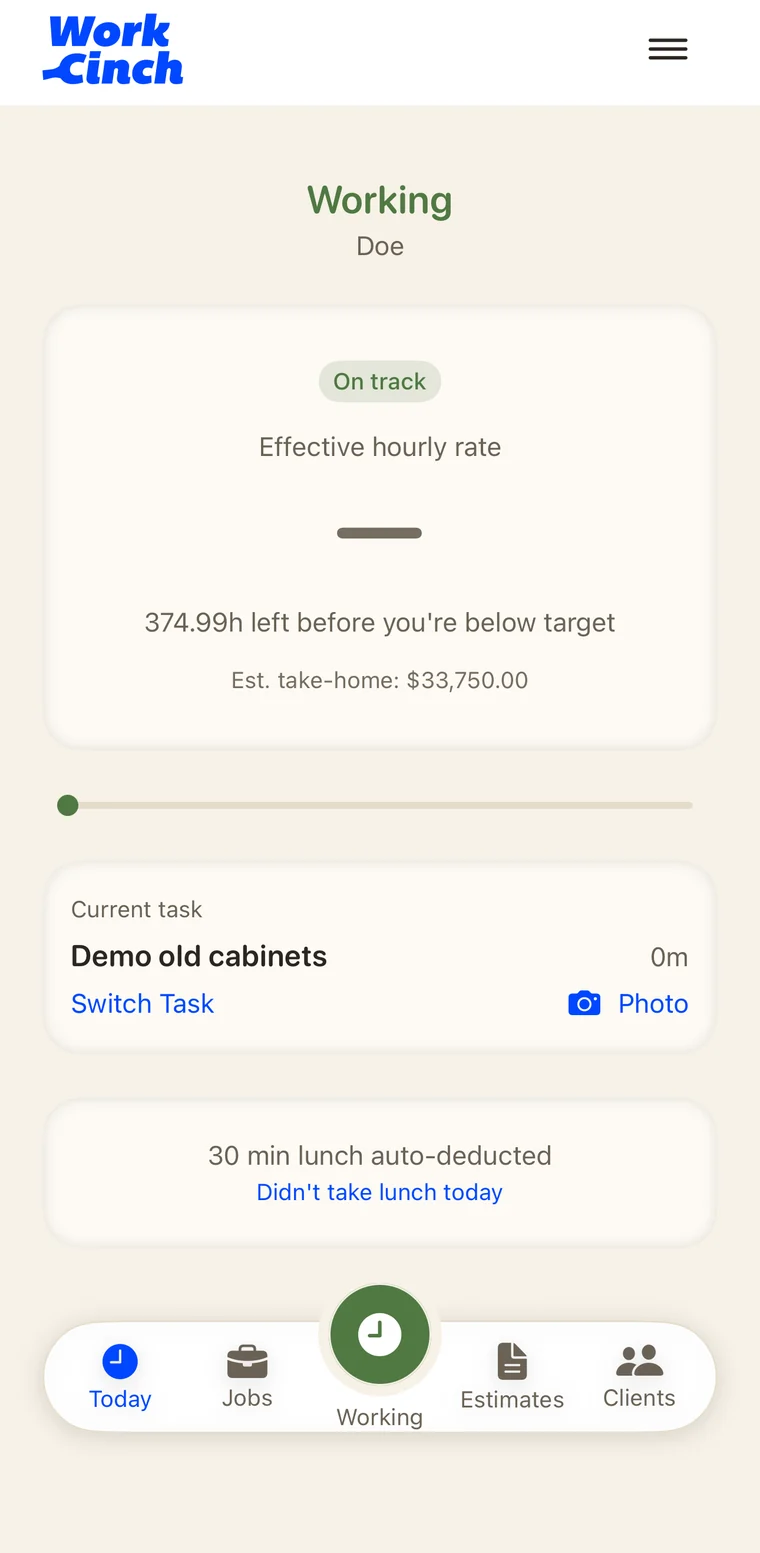
The real Today screen on a $45,000 flat-rate job, sped up.
A fixed price feels like a good deal until you divide it by the hours the job actually took.
Example job. WorkCinch does this division for you on every flat-rate job, live, while the clock runs.
How it works
Set a target hourly rate and quote the job by the hour or as a flat price. A flat price becomes an hour budget.
Clock in, log tasks, take breaks, clock out. Your effective rate and pace update as you work.
Turn the job into a clean PDF invoice with your business details, a deposit if you took one, and the balance due.
Send the invoice, mark it paid, and send a receipt. Card payments are on the way.
Real screens, no mockups
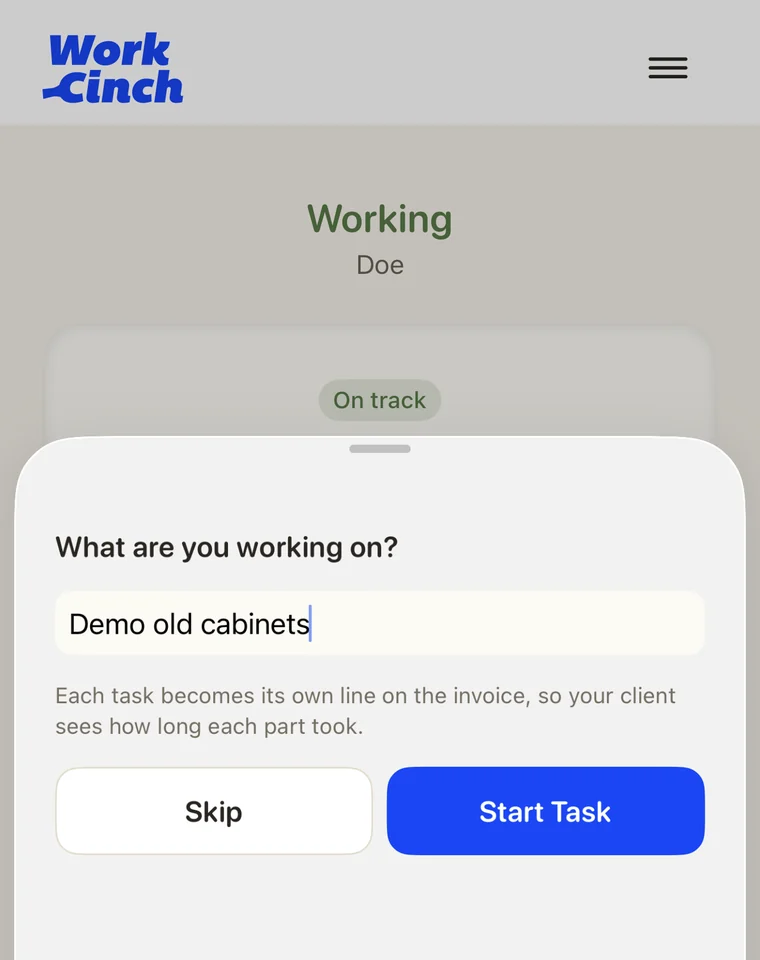
Each task becomes its own line on the invoice.
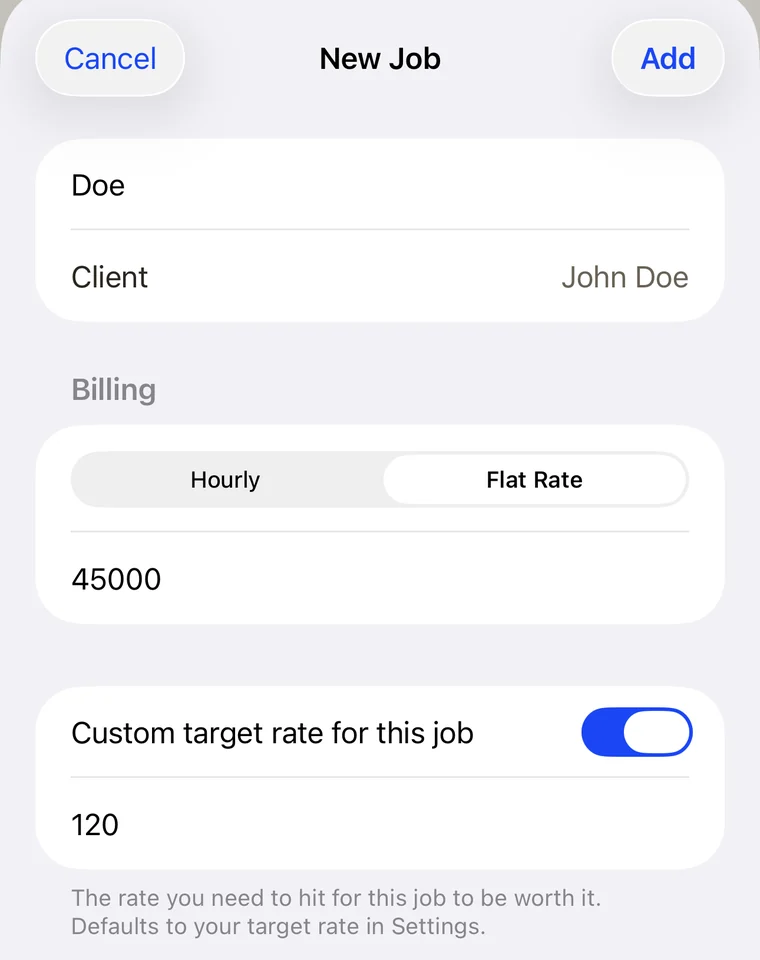
Set the rate you need to hit, and watch your pace.
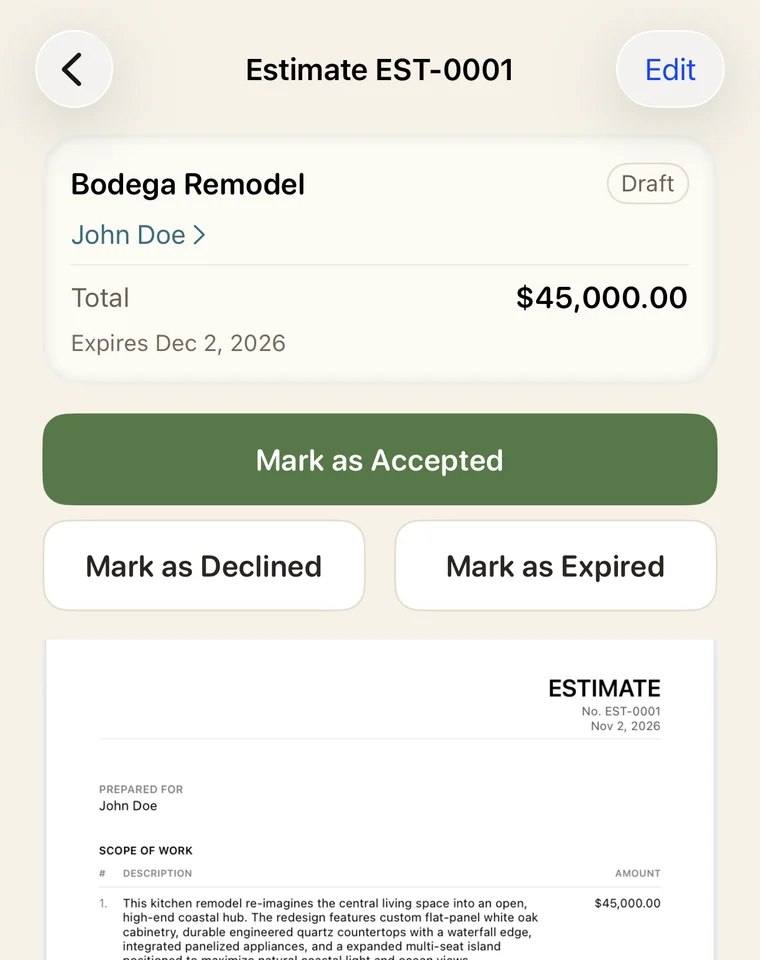
Share the PDF, then mark it accepted.
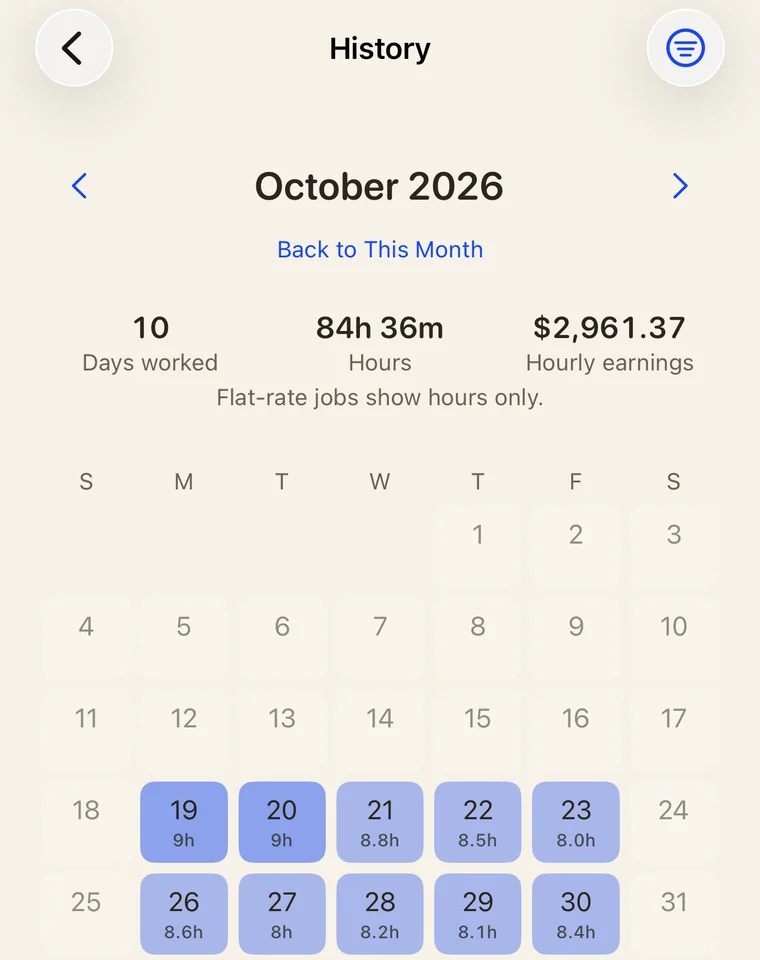
Hours and earnings for the whole month.
What's inside
On flat-rate jobs, WorkCinch divides your quote by the hours you've logged and sets it against your target. On hourly jobs, it shows your earnings as they build.
Your quote and your target rate set the hours the job can take. The app tells you plainly how many hours are left before you drop below target.
Breaks, auto-lunch, and reminders to clock in and out. Fix any punch later. Edited hours carry a quiet "edited" mark so the numbers on an invoice stay traceable.
Write an estimate, send it, and turn the accepted one into a job with its price and hour budget already set.
PDF invoices, deposit requests and receipts with your business details. Email them or share them any way you like. Add your own logo with Pro.
Client details, materials, expenses and job photos live with each job, so nothing gets lost between the site and the invoice.
Set aside a percentage for taxes and see your take-home. The set-aside is an estimate, not tax advice.
A calendar of every day you worked, shaded by hours. Tap a day to see its sessions, breaks, tasks and photos. Filter by job or client.
One file with your clients, jobs, expenses, invoices and estimates as spreadsheets, your PDFs and photos, and a full copy you can restore from.
Let clients pay invoices and deposits by card through Stripe, straight into your own Stripe account.
Clock-out
Mark a flat-rate job done and the app says DONE!, with a note when you came in under your hour budget. Put in a full eight hours on an hourly job and it says ALL IN A DAY! when you clock out, once a day at most. You can turn it off in Settings.
Plain by design
WorkCinch shows your numbers as they are and leaves the decisions to you.
Price
No invoice limits, no trial that runs out. Pro puts your own logo on your paperwork.
$0 forever
$2.99 / month · $29.99 / year
What's free stays free.
Card payments (coming soon): when a client pays online, Stripe takes its standard card fee and WorkCinch takes 0.5%. You see the exact fees before you send anything. Cash, check and bank transfers cost nothing.
Questions
Independent contractors and freelancers who sell their time: carpenters, painters, electricians, designers, developers, and anyone who quotes a job and wants to know if it paid off.
WorkCinch is coming soon to iPhone. Email [email protected] and we'll let you know when it's out.
It's what a job pays per hour of work. On a flat-rate job, it's the quoted price divided by the hours you actually worked.
Yes. The app is free to download and use, with no limit on how many invoices you send. Your documents carry a small WorkCinch footer. Pro removes the footer and puts your own logo on your documents.
On your phone. You don't need an account, and you can export everything from Settings. If you use online card payments, the amount and a short description of each payment link go to our payment server and Stripe. See the Privacy Policy.
Stripe's standard card fee plus 0.5% to WorkCinch, on online card payments only. The money goes straight to your own Stripe account, and the app shows the fees and what you'll receive before you send the link. Recording cash, check or bank transfer payments is free.
No. It lets you set aside a percentage of each job and shows your estimated take-home. That figure is an estimate, not tax advice.
Not right now. WorkCinch is built for iPhone and needs iOS 17 or later.
Built by a working carpenter who uses it on his own jobs. It does what a contractor needs and stays out of the way.
Get launch updates